


Connect Webflow with Salesforce to capture website leads, automate follow-up and track enquiries through to pipeline and revenue.
Connect your Webflow website with Salesforce to get new enquiries into your CRM and give sales the details they need to follow up. As a B2B Webflow agency, we explain the integration options, what each can do, and how to choose the right setup for your team.
Why integrate Webflow with Salesforce?
When someone enquires through your website, their details shouldn’t sit in an inbox waiting to be copied into your CRM. A Webflow–Salesforce integration can create or update a lead in Salesforce automatically, helping your team act on the enquiry.
Depending on your setup, it can help you:
- Follow up faster: Route new enquiries to the right salesperson.
- Give sales useful context: Include what someone requested, their company details, and how they found you.
- Reduce manual work: Save time copying information between systems and reduce data-entry errors.
- Prioritize promising leads: Use captured information to assess fit and decide who to contact first.
- Connect marketing to revenue: Track website leads through to opportunities and closed deals to see which campaigns bring in customers.
What can you do with a Webflow–Salesforce integration?
You can start with sending form submissions to Salesforce or build a more advanced setup around your sales process. If you’re exploring how these connections work, our guide to Webflow integrations explains the main types and use cases.
- Create or update leads and contacts: Send demo requests and other enquiries to Salesforce, with matching rules to help avoid duplicate records.
- Capture more than contact details: Include company size, job title, service interest, and campaign information so sales has more context.
- Assign leads to the right person: Route enquiries based on criteria such as location, company size, or product interest.
- Track enquiries through to revenue: With campaign tracking and Salesforce reporting in place, connect website enquiries to opportunities and closed deals.
- Personalize website content: With additional tools and a way to identify visitors, use Salesforce data to show content relevant to their company or customer status.
Not every option requires the same setup. Sending form data is usually simpler than connecting revenue reporting or website personalization.
More about Webflow and Salesforce
Webflow manages your marketing website, while Salesforce manages customer relationships and your sales process. Here’s a quick introduction to each platform.
What is Webflow?
Webflow is a visual website platform with a built-in content management system (CMS) and hosting. Your team can use it to build landing pages, publish articles and case studies, and update website content without needing a developer for every change.
If you already use Salesforce, Webflow can serve as the marketing website that captures enquiries and passes them into your sales process.
Webflow in numbers
MetricFigureUsers3.5 million, according to WebflowAnnual revenueNo verified current figure availableFounded2013
Webflow publishes its user count and founding year on its company page.
Biggest Webflow customers
Webflow features Dropbox, Spotify, Discord, and Upwork among its customers. These companies may use Webflow for specific websites or projects, rather than their entire digital presence.
What is Salesforce?
Salesforce is a customer relationship management (CRM) platform. Sales teams use it to manage leads, record conversations, and track opportunities from the first enquiry to a closed deal.
Its wider product range also supports customer service and marketing. For this integration, the main focus is how website enquiries enter your CRM and move through your sales process.
If you already use Webflow, Salesforce gives your sales team a central place to manage those enquiries and follow-ups.
Salesforce in numbers
MetricFigureCustomer companiesMore than 150,000Annual revenue$41.5 billion in fiscal year 2026Founded1999
The customer count refers to companies, rather than individual users. Fiscal year 2026 ended on January 31, 2026.
Biggest Salesforce customers
Salesforce’s published customer stories include FedEx, PepsiCo, and Air France–KLM. These are examples of major organizations using Salesforce, rather than a ranking of its biggest accounts.
How do you integrate Webflow with Salesforce?
There are three main approaches: Salesforce Web-to-Lead, an integration platform, or a custom API integration. The right choice depends on what data you need to send, which records you want to create or update, and who will maintain the connection.
Salesforce Web-to-Lead.
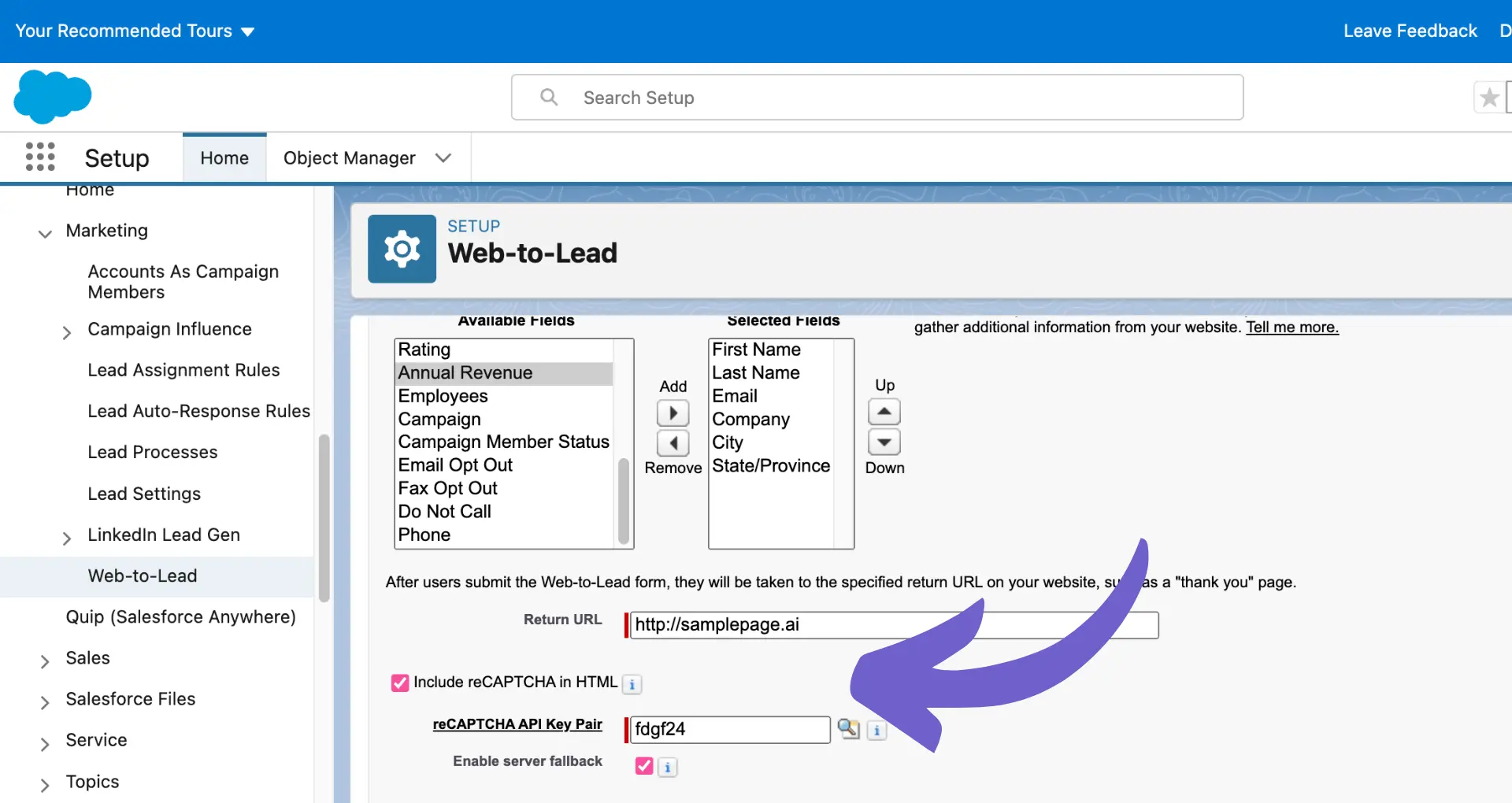
Web-to-Lead is a built-in Salesforce feature for capturing new leads. You configure a form on your Webflow website to send submissions directly to Salesforce, without needing Zapier, Make, or n8n.
Best for: Teams that mainly need website enquiries to create new Salesforce leads.
Benefits: No additional integration platform is required. Salesforce assignment rules can route new leads to the right salesperson or queue.
Limitations: Web-to-Lead creates Lead records rather than updating existing leads or contacts. Its standard daily limit is 500 requests. More advanced record matching and data syncing require another approach.
Integration Platforms: Zapier, Make and n8n
These tools sit between Webflow and Salesforce. They let you build workflows that check existing records, prepare data, and perform several actions from one form submission.
- Benefits: More flexibility, less custom development, and lower upfront costs than building a custom integration. They also make it easier to connect other tools in your marketing and sales stack, such as those covered in our Webflow Integration Hub.
- Limitations: You become dependent on another platform between Webflow and Salesforce. This introduces additional recurring costs, and changes to the platform, workflow, or pricing can affect your integration.
Zapier
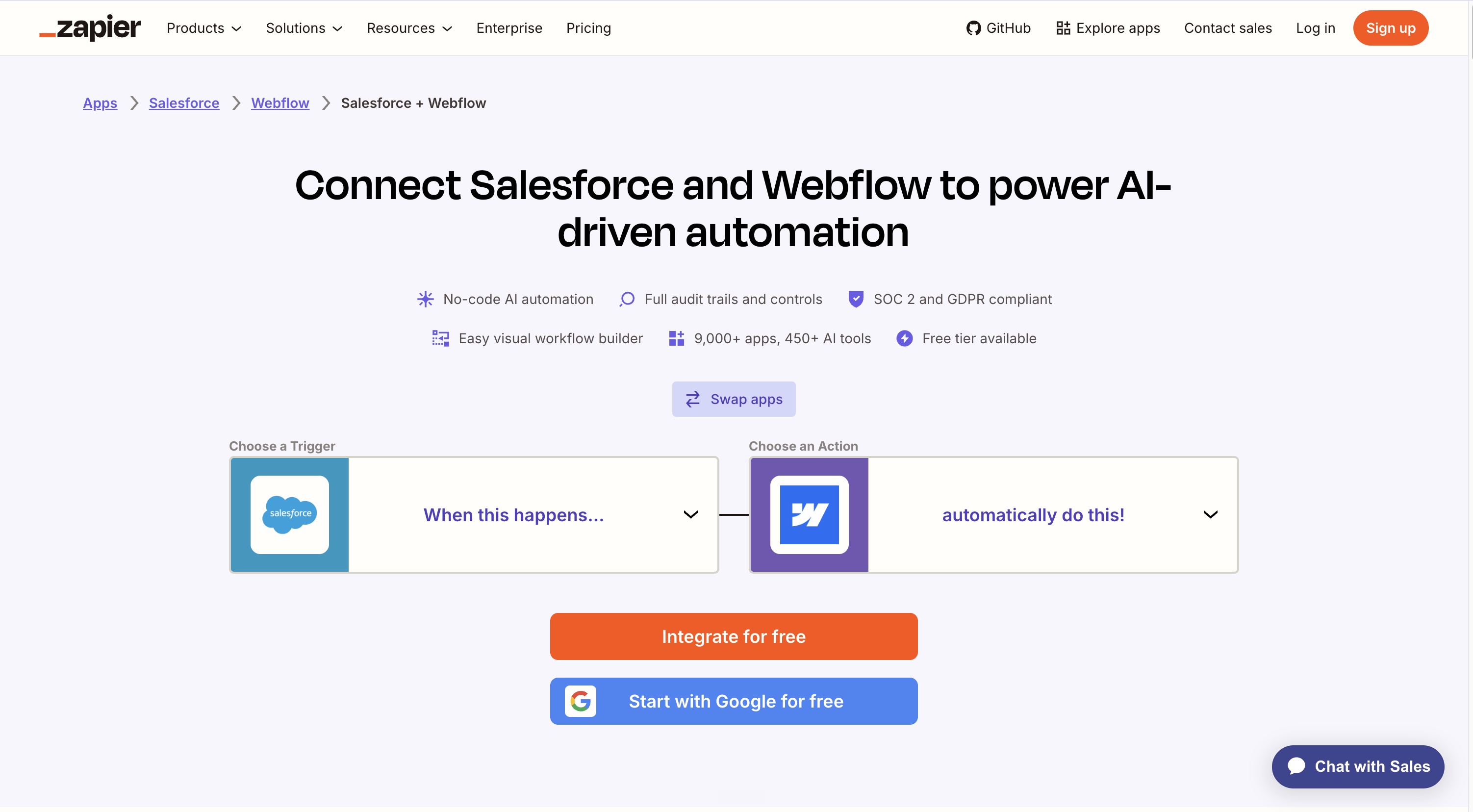
Zapier connects Webflow and Salesforce through relatively simple automated workflows. Zapier provides a dedicated Webflow and Salesforce integration where you can connect triggers and actions between both platforms. For example, a Webflow form submission can create or update a Salesforce record, assign a lead to a salesperson, or trigger another sales action.
- Benefits: Zapier is easy to set up, requires little technical knowledge, and has relatively low upfront costs compared with a custom integration. It’s a good option when Web-to-Lead is too limited but you don't need a fully custom solution.
- Limitations: Costs can increase as you process more data or run more automations. You also become dependent on Zapier as the middle layer between Webflow and Salesforce, and complex workflows can become difficult to manage.
Make
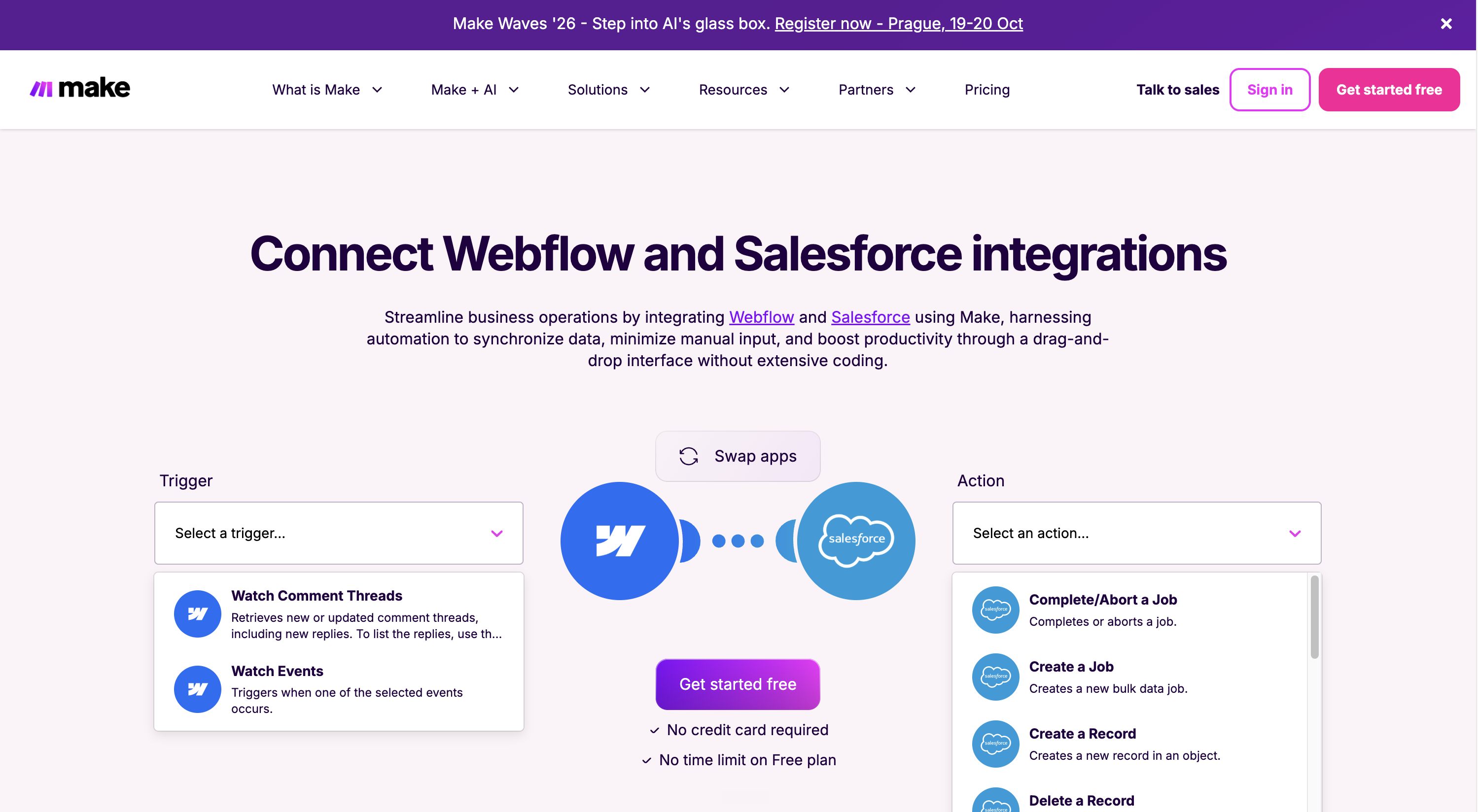
Make is similar to Zapier but gives you more control over complex workflows, logic, and data transformations. Make has a Webflow and Salesforce integration that can be used to create workflows between the two platforms.
- Benefits: Make is generally cost-effective for more advanced workflows and gives you more flexibility than Zapier without the development costs of a custom integration.
- Limitations: Make has a steeper learning curve than Zapier, and you still depend on a third-party platform to keep the integration running. Complex scenarios can also require ongoing maintenance.
n8n

n8n is a more developer-focused workflow automation platform that provides extensive control over how Webflow and Salesforce communicate. It supports custom logic, APIs, data transformations, and self-hosting, making it particularly suitable for more technical integration requirements.
- Benefits: n8n offers a high level of flexibility and can be more cost-effective at scale, particularly when self-hosted. Self-hosting also reduces your dependency on a third-party hosted integration platform and gives you more control over your infrastructure and data.
- Disadvantages: n8n requires more technical knowledge to build and maintain. While self-hosting can reduce platform dependency and software costs, you become responsible for hosting, maintenance, security, and reliability yourself
Custom API Integration
A custom API integration connects Webflow and Salesforce directly using their APIs, without relying on an integration platform like Zapier or Make. Developers can determine exactly what data is sent between both systems and build custom logic around your specific Salesforce setup. This is particularly useful for larger or more complex B2B websites where standard integrations are too limited. Developers can use the Webflow form submissions API to retrieve captured enquiries as part of a custom workflow.
- Benefits: A custom API integration gives you the most flexibility and control. It can support complex business logic, custom Salesforce objects, two-way data flows, and high volumes without depending on an integration platform.
- Limitations: It requires development expertise and has higher upfront costs. You’re also responsible for maintaining the integration when APIs, business processes, or either platform changes.
Before choosing an approach
For API-based integrations, check that your Salesforce edition and integration user have the required API access and permissions. These determine which records and fields the connection can work with.
Also decide what should happen when a submission matches an existing record or fails to reach Salesforce. These details matter whichever approach you choose.
A real-life Overflow Integration Webflow + Salesforce integration example
Here’s an example from an enterprise SaaS client we worked with. Their website ran on Webflow, while their sales team used Salesforce to manage leads and revenue.
When a decision-maker from Philips requested a demo, the Webflow form sent the lead data directly to Salesforce:
Company: Philips
Interest: Enterprise plan
Source: LinkedIn Ads
Conversion: Demo request
Because Philips already existed in Salesforce, the lead was connected to the right account and sales team.
If Philips later signed a €150,000 contract, Salesforce could connect that revenue back to the original Webflow campaign.
47 leads → €620k pipeline → €150k revenue
That’s the value of the integration: Webflow captures the demand. Salesforce shows what that demand is ultimately worth.
Common challenges when integrating Webflow with Salesforce
Sending a form submission to Salesforce is only part of the setup. You also need to handle existing records, invalid data, and submissions that fail.
- Duplicate records: Decide when an enquiry should create a new record or update an existing lead or contact, and review your Salesforce duplicate rules.
- Incorrect field mapping: Match form fields to the right Salesforce fields, including required values and accepted formats.
- Failed submissions: Set up alerts and a way to retry or recover enquiries that fail because of errors, permissions, or limits.
- Spam: Filter unwanted submissions before they enter your CRM.
- Ongoing maintenance: Test the connection when forms, Salesforce settings, or automation workflows change.
For enquiries your business relies on, keep a recoverable copy of submissions, assign someone to handle failures, and document how the integration works. This helps your team spot problems and recover leads before they are missed.
How we integrate Webflow with Salesforce at Overflow Agency
We start with what happens after someone enquires: which data sales needs, where it belongs in Salesforce, and who should follow up.
From there, we review your Webflow forms, Salesforce setup, and existing tools to choose the simplest integration that meets your requirements. That might be Web-to-Lead, an automation platform, or a custom API integration.
We also agree how to handle existing records, failed submissions, and future changes. The goal is a reliable connection your team can maintain as your sales process evolves.
How to choose the right integration partner
Ask potential partners to explain how they would handle your specific setup. Useful questions include:
- Why this approach? What makes it suitable, and what are its limitations?
- What happens to existing records? How will they avoid duplicates and connect enquiries to the right account or salesperson?
- What happens if it fails? How will your team detect and recover missed submissions?
- How will it be tested? Will testing cover your actual forms, Salesforce rules, and common exceptions?
- Who maintains it? What are the ongoing costs, responsibilities, and handover arrangements?
Can Webflow integrate with Salesforce?
Yes. You can connect them through Salesforce Web-to-Lead, an automation platform such as Zapier, Make, or n8n, or a custom API integration.
What is the best way to integrate Webflow with Salesforce?
Web-to-Lead suits basic lead capture. An automation platform is useful when you need to check existing records, transform data, or connect other tools. Consider custom development when your requirements exceed what those connectors can reliably handle.
Can Webflow forms send leads directly to Salesforce?
Yes. A form on your Webflow website can be configured to submit directly to Salesforce through Web-to-Lead. This creates new Lead records. Updating existing leads or contacts requires a different integration approach.
Do I need Zapier or Make to connect Webflow with Salesforce?
No. Web-to-Lead works without either platform, and a custom integration is another option. If your team already uses an automation platform, check whether it supports the Salesforce actions you need.
How much does a Webflow–Salesforce integration cost?
The cost depends on the number of forms, records, and workflows involved, plus requirements such as duplicate handling and error recovery. Ask for a quote that separates implementation costs from ongoing subscriptions, hosting, and maintenance.
How long does a Webflow–Salesforce integration take?
A single form that creates new leads takes less work than a setup involving existing records, multiple sales teams, or custom objects. Your partner should confirm the timeline after reviewing your requirements and Salesforce access, including time for testing.
Do I need an agency to integrate Webflow with Salesforce?
Not necessarily. Your team may be able to configure a basic connection internally. A specialist becomes useful when the workflow is complex, enquiries are critical to your business, or you need help with testing and ongoing maintenance.



Timing depends on your site's condition, competition, authority, content, and implementation pace. Overflow sets priorities and realistic expectations without promising a specific ranking or universal result date.
Overflow can support content migration, CMS transition, URL mapping, redirects, and SEO protection when included in scope. The NedCargo Webflow case study documents these activities in a WordPress-to-Webflow migration.
Overflow can combine recommendations with direct Webflow implementation when that work is included in scope. This keeps strategic priorities connected to the technical changes required on the site.
Yes, Webflow's official SEO guidance documents built-in tools for meta tags, structured data, and image alt text. SEO outcomes depend on strategy, content, technical implementation, and continued improvement.
They are designed for B2B founders and marketing teams that need stronger search visibility and faster publishing. They also support clearer buyer journeys with less reliance on developer queues or disconnected agency handoffs.
Webflow gives marketing teams control over their website while providing the flexibility, performance, and scalability growing B2B companies need.
We strengthen the content, technical foundations, brand authority, and external signals that influence how AI platforms discover, understand, and cite your company.
B2B buyers increasingly use platforms such as ChatGPT, Gemini, and Perplexity to research problems, compare solutions, and evaluate potential partners. Investing in AI Search helps your company become visible and considered during these buying decisions.
We work with ambitious B2B companies whose marketing teams need to launch faster, improve conversion, and generate more qualified pipeline.
Most website projects take six to eight weeks. The exact timeline depends on the scope, content, integrations, and speed of feedback.
We build scalable B2B marketing websites and help companies increase their visibility across Google and AI platforms such as ChatGPT, Gemini, and Perplexity.