Compare Webflow vs Storyblok for B2B marketing: CMS ownership, headless architecture, localization, security, AI, pricing and developer dependency.


Transparency statement
We independently review and test every app in our app comparison articles. We don't earn any commissions on the link or the platforms. In full transparency, we are a Webflow partner, and that's because we independently tested all the CMS platforms throughout the years. In our opinion, Webflow is the best for B2B marketing teams from mid-market to enterprise organizations worldwide.
Key takeaways
- Webflow combines CMS, visual website building, publishing and hosting in one platform.
- Storyblok is headless: the CMS is separate from the frontend your developers build and maintain.
- Multiple languages alone do not require headless; independent market structures and multi-channel content are stronger reasons.
- Compare total operating cost, including frontend engineering and hosting—not only CMS licence fees.
- Marketing autonomy depends on implementation quality in both platforms.
This guide is for B2B marketers choosing a CMS for their company. Whether you’re replacing your current platform or planning a new website, the goal is to help you assess Webflow and Storyblok through a marketing lens: how each fits your team, your website, and your plans for growth.
A quick disclosure
Overflow is a specialist B2B Webflow agency. We favour Webflow for many B2B marketing websites. That doesn’t make it the right answer for every organisation. The recommendations below distinguish documented capabilities from our assessment of their practical fit.
How we approach the comparison
We assess both platforms through the same B2B marketing tasks: launching campaign pages, changing designs, managing international content, getting approval, maintaining the website, and budgeting for growth.
Our comparison combines official pricing and technical documentation, published customer stories, and what we have learned building and managing B2B websites ourselves. Where we have direct project experience, we identify it explicitly. Where we don't, we rely on documented platform capabilities rather than presenting assumptions as first-hand experience.
The short answer
Start with Webflow if your priority is a B2B marketing website that marketing and design can actively improve, with website building, content management, and hosting closely integrated.
Start with Storyblok if you need a central content platform for multiple websites, applications, or complex digital experiences—and have developers or a technical partner to build and maintain those experiences.
Our assessment: Webflow is often the more direct route to marketing ownership. Storyblok is often the stronger fit when content must serve a wider technical ecosystem.
Webflow vs Storyblok: the difference that matters
The decision is less about which CMS has more features and more about where your website lives and who has to maintain it.
Webflow: CMS + visual website builder + publishing + hosting live in one platform. Marketing and design teams can work on both content and presentation within that system.
Storyblok: the CMS manages structured content, while a separate frontend turns that content into the website. Developers choose, build, host, and maintain that frontend.
Webflow → CMS and website in one managed platform
Storyblok → CMS → API → separately built frontend → website
That separation is Storyblok's main strength when the same content needs to power multiple websites, apps, portals, or very different market experiences. It is also its main operational trade-off: your organisation owns an additional frontend technology stack.
Webflow
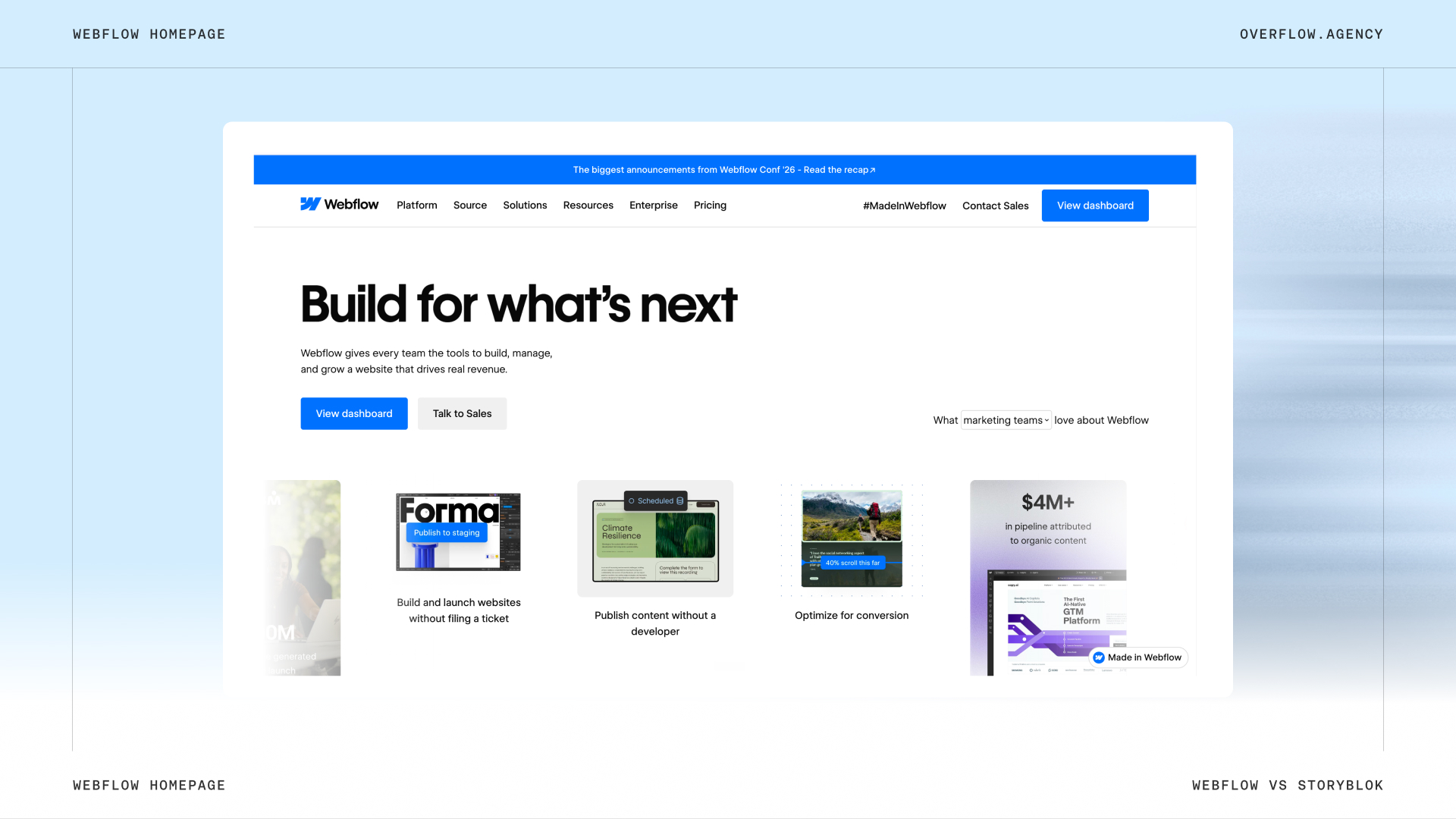
Webflow brings website design, content management and hosting together in one platform. Designers and marketers can visually build pages, update content and publish changes. The CMS, visual frontend builder, publishing workflow and hosting can all live within Webflow.
Storyblok
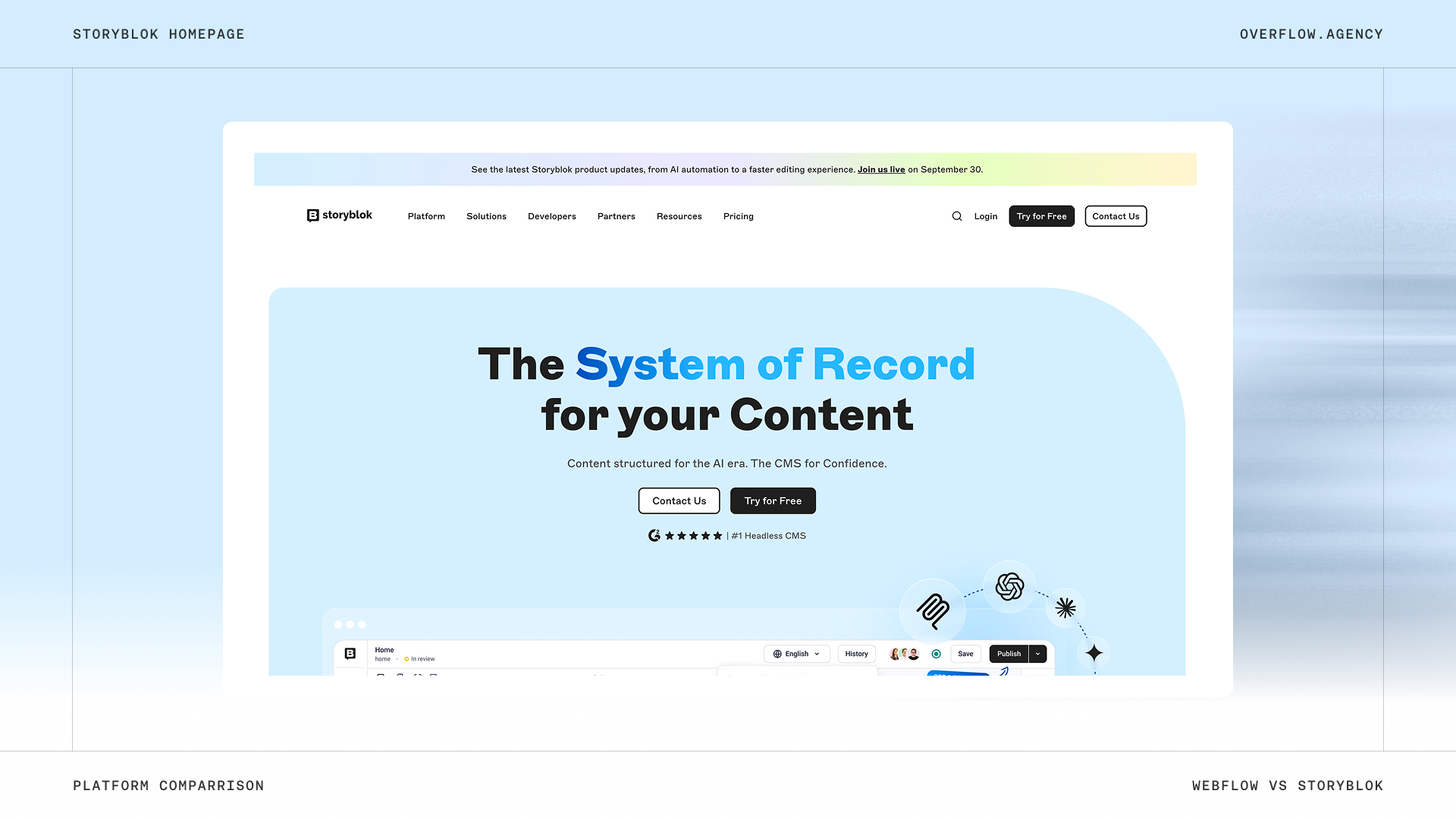
Storyblok manages your content separately from the website. Developers build and host the website using their preferred technologies, while marketers manage content through Storyblok’s visual editor. That content can also be used across apps and other channels.
Storyblok stores and manages the content. Your developers create the actual website in something like Next.js, React, Vue, Nuxt or Astro and host that application elsewhere. The benefit is technical flexibility: the same structured content can feed a website, app, customer portal or another digital channel through APIs.
Security
Both platforms provide managed CMS infrastructure. The main difference is how much of the complete website sits outside that infrastructure.
- Webflow: the website platform and hosting are managed together, reducing the infrastructure your team needs to maintain.
- Storyblok: Storyblok secures the CMS, while your developers and hosting provider manage the separate frontend infrastructure.
Separating the CMS from the public website does not automatically make the complete website more or less secure. It changes who is responsible for which parts of the stack.
Our assessment: the security credentials alone do not establish that one platform is universally more secure. For a conventional marketing website, Webflow can reduce the amount of infrastructure your team has to secure and maintain. Storyblok gives you more architectural control, with corresponding responsibility for the frontend stack.
Can marketing actually manage the website?
“Can we edit it ourselves?” is too easy a demo question. Almost every CMS can pass that test. A better question is: Can our marketer build next month’s campaign page, change its layout, connect the form, get approval, and publish it?
Webflow: content control and visual page building
Webflow supports reusable components and page templates. Designers can define approved sections that marketers assemble into new pages, with guardrails around structure and styling. Marketing doesn’t necessarily need unrestricted design access when the Webflow design system is structured around reusable patterns.
New designs and complex functionality may still need a specialist, but routine work can stay with marketing when the site is built for it.
Storyblok: visual editing within a developed system
Storyblok also supports visual editing and reusable content components. Marketers can manage content and assemble pages using the components developers have connected to the frontend. Think of it as a box of LEGO: marketing can build with the supplied bricks. When you need a new kind of brick, developers create it.
Our assessment: Webflow generally offers a more direct path to changing the website’s presentation. Storyblok can provide excellent editorial independence, but the range of available page elements depends on the frontend implementation.
What this looks like in a real Overflow project: BlinkLab
We saw the practical side of marketing ownership while building BlinkLab's website, a medtech company that needed one website to serve families, clinical researchers, and investors.
We built reusable sections and CMS structures around the content the team actually needed to publish. The complete website—from strategy and information architecture through UX, design, and Webflow development—was delivered in seven weeks. After launch, BlinkLab's team could publish research papers, company announcements, and investor materials within a consistent structure, without relying on a developer for every change.
This was not a Storyblok-to-Webflow migration, so we don't use it as evidence that Webflow is universally faster than Storyblok. It does show what marketing independence can look like when a Webflow implementation is deliberately designed around recurring publishing needs.
International websites: languages are only half the story
A Dutch page translated into German is straightforward. A German market with different products, legal copy, customer references, and publishing permissions is a different project.
Webflow Localization can adapt CMS and static content, URLs, SEO settings, styles, and assets. Some localisation capabilities depend on the plan. The more important architectural question is not simply “Can this element differ by locale?” but how independently each market needs to structure, govern, and release its website experience.
If your Dutch, German, and French websites use essentially the same page architecture with different copy, imagery, SEO metadata and some visual variations, Webflow can be a strong fit.
It becomes less natural when the markets are effectively different websites. If Germany needs a different product experience, France needs another page hierarchy, and the US team needs market-specific components and release cycles, you are managing several presentations of shared content. That is where we would seriously evaluate headless.
CMS scale needs the same nuance. Webflow's Premium plan includes 20,000 CMS items and 40 Collections. Its Team plan expands the setup to 100 CMS Collections, while Webflow Enterprise supports custom scale. Reaching a self-serve plan limit does not automatically mean “move to headless.”
The stronger reason to consider headless is when your content model has to serve several independently built websites, apps, portals, or other interfaces—or when the relationships and presentation logic become more application-like than website-like.
Pricing: compare operating cost, not only licence cost
Comparing Webflow’s website subscription with Storyblok’s CMS subscription is like comparing a furnished office with the rent for an empty room.
Subscription prices only tell part of the story. The more important comparison is total operating cost: software, seats, localisation, hosting, and the development work required to keep the website running and evolving.
Three-person marketing team
Suppose one person manages the website and two marketers edit content and build pages using existing components, with one website in one language.
Webflow: Premium costs $300/year. The Workspace owner’s seat is included, and two Limited seats cost $360/year, bringing the total to $660/year on a free Starter Workspace.
Storyblok: Growth costs $1,089/year and includes five users. Website hosting and frontend development are separate costs.
Ten-person marketing team
Suppose one person manages the website and nine marketers edit content.
Webflow: Premium costs $300/year, and nine Limited seats cost $1,620/year, bringing the total to $1,920/year before any optional paid Workspace requirements.
Storyblok: Growth includes five users. Adding five more at $15/month each brings the annual total to $1,989, excluding website hosting and frontend development.
The cost that isn't on Storyblok's pricing page: the frontend
Storyblok hosts the CMS, content APIs, assets, and editing interface. It does not render or host your website. Your organisation still owns a frontend application—for example Next.js or Nuxt—plus its hosting and deployment setup.
Storyblok + frontend hosting + developer maintenance + dependency/framework updates + monitoring + bug fixes + deployment work + new component development
There isn't one honest universal dollar figure for that maintenance. For a marketing team, a better way to budget a CMS migration or headless implementation is to ask the implementation partner for an annual maintenance estimate in developer hours. Even 4 developer hours per month is 48 hours per year; 8 hours per month is 96 hours. Multiply that by your internal or agency rate, then add hosting and infrastructure services. These are illustrative budgeting examples, not Storyblok averages.
A Webflow website isn't maintenance-free either. Teams may still pay specialists for new functionality, complex design work, integrations, and optimisation. The architectural difference is that the published marketing website does not require your team to separately maintain a frontend framework and hosting stack.
AI: editing content is different from creating a design
The useful distinction is not whether either platform “has AI,” but what the AI can change without additional frontend development. Both platforms expose AI-assisted workflows and MCP tooling. Our Webflow MCP guide explains how Webflow exposes authorised site and CMS actions; the underlying architecture still determines how far those actions can go.
Both platforms can support creating pages from existing components. With Storyblok, a completely new visual section generally still requires the corresponding frontend component to be implemented. Webflow’s tooling can work with site elements, styles, components and variables within the Webflow platform.
Ask vendors to demonstrate the same task: create a campaign page, add a section that does not exist yet, and route the result through approval. Record what required design access, code changes, extra tools, or manual review.
Real websites using each platform
Published vendor case studies show both platforms being used by substantial organisations. Webflow examples include IONITY, Jasper, Backbase, Ramp and Typeform. Storyblok examples include Fixfast, SLV, METRO, EF Education First and Oatly. These examples demonstrate specific implementations rather than proving that every digital property at each company uses the same CMS.
Define success before choosing the CMS
Agree on a small set of outcomes: campaign turnaround time, the share of routine updates marketing completes independently, support costs, and the time needed to add a market. Establish a baseline before migration, then review the same measures after launch.
This makes the business case about an operational improvement your organisation can verify. During a migration, that should sit alongside Webflow SEO checks that protect existing organic visibility.
Choose Webflow when…
Your main requirement is a marketing website, your team needs control over content and page presentation, and you want an integrated publishing and hosting setup.
Choose Storyblok when…
You need structured content across multiple experiences, substantial frontend freedom, or a broader digital architecture—and have clear technical ownership.
Our recommendation
For many B2B marketing websites, we would shortlist Webflow first. Our Nedcargo migration is one example of structuring Webflow around reusable components, marketing autonomy, and SEO-safe migration. Its integrated approach fits teams that need to launch, learn, and improve without routing every website change through development.
For organisations building several connected digital experiences, we would give Storyblok serious consideration. The additional architecture can be worthwhile when it solves a real requirement.
The best CMS is the one your organisation can operate well after launch.
Still Have Questions?
The main difference is architecture. Webflow combines the CMS, visual website builder, publishing, and hosting in one platform. Storyblok is a headless CMS: it manages the content, while developers build and maintain a separate frontend for the website. Webflow therefore tends to give marketing teams more direct control over the website, while Storyblok gives development teams more flexibility over the technology stack.
For a conventional B2B marketing website, Webflow is often the more direct fit when marketers need to create pages, manage content, and publish changes without relying on developers for routine work. Storyblok can be a stronger fit when the same structured content needs to power multiple websites, apps, portals, or independently developed digital experiences. The right choice depends on how much frontend flexibility you need and who will maintain it.
Consider Storyblok when your organisation needs one content layer to serve multiple independently developed websites, applications, portals, or other digital products, or when different markets require substantially different frontend experiences. Multiple languages alone are not necessarily a reason to go headless. The stronger reason is an architectural requirement for shared content across different presentation layers, combined with the development resources to build and maintain those frontends.